Customer Appreciation Drop · Pay What You Can
Orra Ducker
Per-frequency sidechain ducking
Orra Ducker turns down only the frequencies where two signals collide, keyed from any track in any DAW. With Orra Link 2 the routing lives in the plugin: pick your trigger by track name from a dropdown, and stack as many instances on one track as you need.
Secure checkout by Lemon Squeezy
Duck the collision, not the whole signal
Per-frequency, not per-fader.
Orra Ducker runs an FFT on both signals and ducks each frequency only where the two actually overlap, so a kick can clear space inside a bass without dropping the whole bass line.
One track. One simple setup.
Each instance picks its trigger from a dropdown, no aux tracks, no bus juggling. Here is what that looks like in a session.
Instance 1, keyed to the kick
Picks "Kick" by name. Carves a pocket in the low end every time the kick lands, leaving everything above it untouched.
Instance 2, keyed to the vocal
Picks "Lead Vox" by name. Pulls back the synth's mids only where the lead vocal sits, so the words stay forward.
Instance 3, keyed to the bass
Picks "Bass" by name. Makes room in the low-mids where the bass and synth fight, and nowhere else.
Pick your sources by name
Orra Link 2 is a tiny sender-only plugin that installs automatically with Orra Ducker: it is bundled in the installer of every compatible Orra plugin. Drop it on any track or bus and that track shows up in the Ducker's SIDECHAIN picker by its actual name, in its track color, so you can sidechain any track in any DAW even where the host will not normally let you route across busses.
- AutoLink 2's drop-and-forget Auto mode senders now appear in Ducker for the first time. No channel to pick, no routing to document.
- Stored by nameYour pick is remembered by track name, so it survives session reloads. If a named source vanishes the picker flags it as "! Name" and the ducker gracefully falls back to self-detection instead of keying off a stale channel.
- Color-tintedThe picker's outline tints in the live source's track color, so you can see at a glance which track is driving the duck.
- NumberedThe classic Link 1 to 36 channels are still supported for older setups and templates, original Orra Link 1 senders included. The Link channels submenu now lists only the channels actually live.
Orra Link 2
Sidechain sender, bundled in the installer of every compatible Orra product
We don't know of another spectral ducker that lets you stack a separate instance per source on one track, in any DAW.
Under the hood
How it works, the analyzer, and the technical detail
Per-bin, not per-fader
A normal ducker measures one number from the sidechain, its overall level, and pulls down one fader. Orra Ducker runs a 2048-point FFT on both the trigger and your audio, splitting each into roughly a thousand frequency bins. Every bin gets its own detector and gain computer.
Only the bins that collide
A bin in your signal is ducked only when the matching bin in the sidechain crosses the threshold. That is why a kick can make space for itself inside a bass without dropping the whole bass line, only the bins the two share get touched.
Resolution is the carving tool
RESOLUTION sets how finely the per-bin reduction varies across frequency, surgical and narrow, or broad and smooth. It is the difference between a precise notch and a gentle tilt.
The Live exception
Live mode skips the FFT and runs a classic broadband envelope ducker, one detector, one gain, for zero-latency live monitoring. Every other mode is fully spectral.
Signal flow
Trigger source (None / External / Link) → per-bin detector → per-bin gain computer (Threshold, Ratio) → temporal smoothing (Attack, Release) → frequency smoothing (Resolution) → focus mask (Low / High Cut) → applied to your audio. Stereo detection is blended by the Link control before the gain computer.
Orra Ducker in action
Per-frequency ducking, the focus band, and the Orra Link 2 sidechain system, see how it all comes together in a real session.
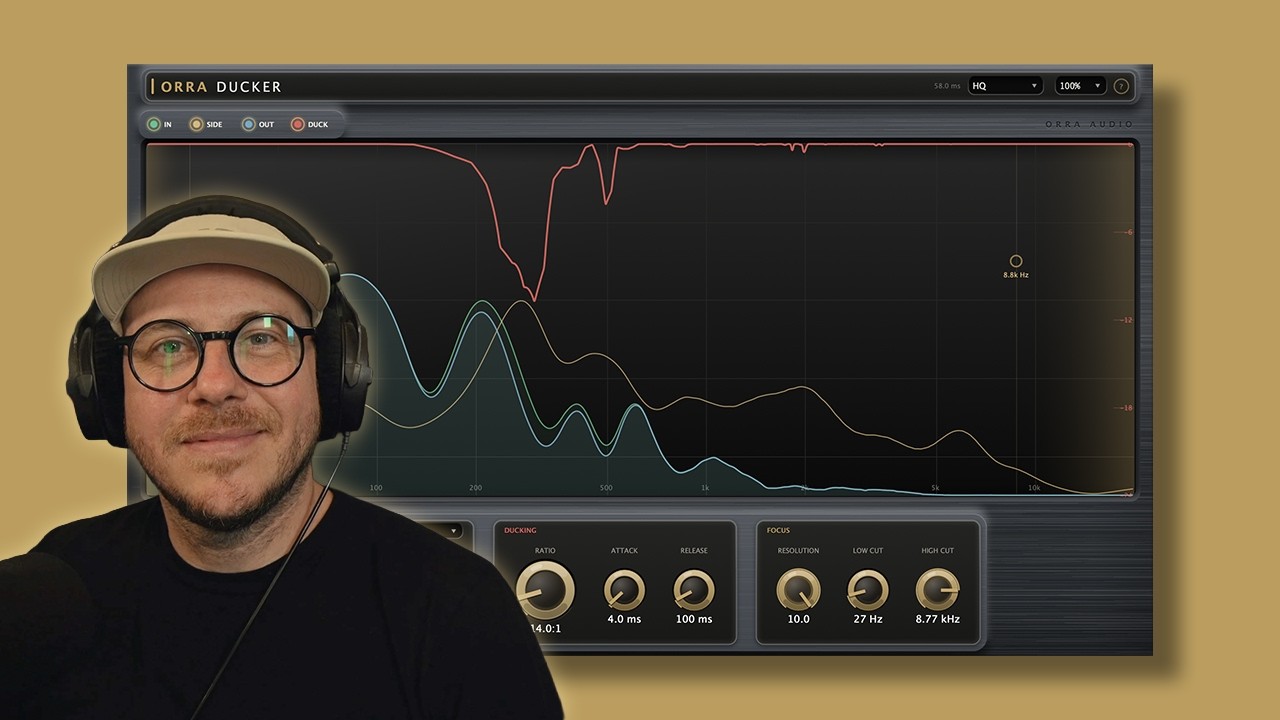
Duck the Collision, Not the Signal
Watch Orra Ducker in a real mix, keying a bass from a kick, drawing the focus band to clear only the low end, and stacking instances with Orra Link 2 to duck against multiple sources on one track.
More videos & articlesWhat's New in v1.1.1
A round of fixes and optimizations, plus tooltips in seven languages. No new or changed parameters, so sessions, presets and automation from any earlier version load unchanged.
Get Orra Ducker
A Customer Appreciation drop. Pay what feels right, $5 and up. Orra Link 2 is included.
Complete your toolkit
Orra EQ
16 bands of parametric EQ with per-band dynamic saturation and 17 saturation algorithms.
Explore Orra EQOrra Press
Seven dynamics engines in six reorderable slots. Shares the same Orra Link 2 sidechain system.
Explore Orra PressOrra Tone Zone
Free / pay-what-you-can. Target curve system, adaptive auto-correction, and 6-band EQ.
Try Tone Zone, Free